
There’s something deeply satisfying about cramming serious gaming horsepower into a box smaller than a shoebox. Mini-ITX builds have gone from hobbyist curiosity to mainstream option, and in 2026, the component ecosystem finally caught up. You can build a legitimately fast 1440p gaming rig in under 12 liters—if you know what you’re doing.
I’ve built a handful of these over the last few years and the learning curve is real. Parts compatibility is brutal, thermals punish bad decisions, and cable management in a case the size of a lunchbox is genuinely humbling. But the payoff—a silent, compact machine that sits on your desk like a piece of hardware jewelry—is worth it.
This guide covers everything you need to know: case selection, component picks, airflow priorities, and the gotchas that’ll trip you up if you’re coming from a traditional mid-tower build.
Why Mini-ITX in 2026?
The honest answer for most people: desk space and aesthetics. A full-size ATX tower is overkill if you’re gaming on a single monitor, running one GPU, and not doing heavy content creation that needs tons of expansion slots. Mini-ITX cases have matured to the point where the compromises are manageable—single-GPU, single M.2 NVMe for most builds, and one or two storage drives.
Where SFF (small form factor) builds make the most sense:
- LAN party setup — carry your whole rig in a backpack
- Living room gaming — sits next to a TV without looking out of place
- Desk-limited setups — apartments, dorms, tight office workspaces
- Minimal aesthetic — one clean box, nothing cluttering the desk
Where it doesn’t make sense: if you need multiple GPUs (rare in 2026), tons of PCIe expansion, or extreme cooling for overclocking. For those scenarios, mATX or ATX is the better call.
The 2026 SFF Build: Component Picks
Here’s the build I’d recommend for high-refresh 1440p gaming at a reasonable price point in mid-2026. I’ll break down the reasoning for each choice.
CPU: AMD Ryzen 7 9700X
The Ryzen 7 9700X (Zen 5) is the sweet spot for gaming in a Mini-ITX enclosure. It’s a 65W TDP chip, which matters enormously in a small case. You don’t need a massive cooler to keep it happy, and it doesn’t dump heat into an already cramped thermal environment like a 120W+ chip would.
Gaming performance is excellent—Zen 5’s IPC gains closed the gap with Intel on gaming workloads, and the 65W envelope means you can run it with a high-quality 120mm AIO or even a chunky tower cooler in cases with enough vertical clearance. The X3D variants are faster for gaming but run hotter and cost more; for SFF I’d rather take the cooler 9700X unless you’re chasing max frame rates at any cost.
Platform: AM5 (B650I or X670I). The AM5 platform is mature at this point and will be supported through Zen 6, which means your board investment is protected.
Motherboard: ASUS ROG Strix B650I-I Gaming WiFi or Gigabyte B650I AX
Mini-ITX motherboard selection is critical and often the most frustrating part of SFF builds. You need to check:
- RAM slot count (most ITX boards have 2, which is fine)
- M.2 slot count — 2 is ideal, 1 is workable
- VRM quality — cramped VRMs overheat; check thermals in reviews
- I/O panel — you lose rear expansion, so make sure onboard I/O covers your needs
The ROG Strix B650I has solid VRMs, dual M.2 (one on back of board), WiFi 6E, and excellent BIOS support. The Gigabyte B650I AX is slightly cheaper with comparable VRM performance. Either works for a 9700X without breaking a sweat.
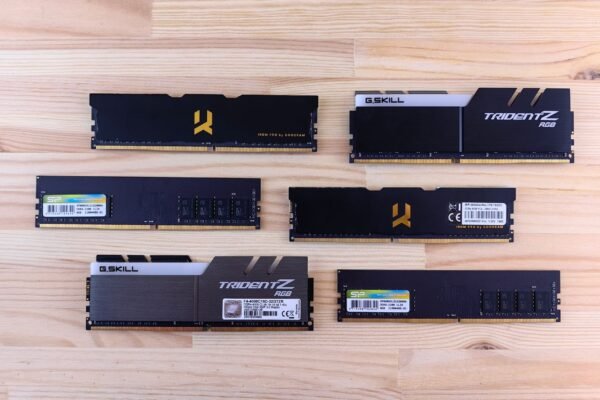
RAM: 32GB DDR5-6000 CL30 (2x16GB)
On AM5, DDR5-6000 is the frequency sweet spot that aligns with the Infinity Fabric clock without requiring anything exotic. The EXPO/XMP profile just works on most B650I boards, and you get the performance without the instability risk of pushing 7200+ speeds.
32GB is the right call in 2026. Games are increasingly paging into 16GB+ territory when you factor in OS overhead and background apps, and the price delta between 16GB and 32GB kits is small enough that you shouldn’t think twice.
GPU: RTX 5070 or RX 9070 XT
This is the hardest part of SFF builds: GPU fitment. Before you buy anything, measure your case’s GPU length and height clearances. Most Mini-ITX cases cap out around 320-340mm length. Some shorter premium cases cap at 280mm, which eliminates a lot of cards.
The RTX 5070 in a dual-fan variant (Founders Edition or AIB partner dual-fan) typically runs around 280-310mm and fits most builds. The RX 9070 XT dual-fan variants are similarly compact and competitive in rasterization performance. Both are excellent 1440p cards. If your case has tight vertical clearance (2-slot only), triple-fan variants are off the table—stick to dual-fan reference or compact AIB designs.
For GPU picks in the context of a full 1440p build, I went deep on both options in my 2026 1440p gaming monitor roundup—pairing the right card to the right panel matters.
Cooling: 240mm AIO or Noctua NH-L12S
Case-dependent. If your case supports a 240mm AIO on the top or front, that’s the cleanest thermal solution for a 65W CPU in SFF. The top-mounted radiator exhausts heat directly out of the chassis without recirculating it past other components.
If the case only supports air cooling (single 120mm or 92mm), the Noctua NH-L12S is the gold standard. It handles 95W+ at just 70mm total height, fits under most GPU coolers in cases with adequate clearance, and maintains quiet operation under sustained load with a 65W chip.
What I’d avoid: cheap 120mm AIOs. In a sealed SFF enclosure, pump noise and reliability matter more than in an open mid-tower where you can just swap it easily.
Storage: 2TB NVMe PCIe 5.0 (Primary) + optional 2TB PCIe 4.0 (secondary)
PCIe 5.0 NVMe drives in 2026 are fast enough that the bottleneck for gaming is nowhere near storage. If your board has a PCIe 5.0 M.2 slot, use a Gen 5 drive for the OS/games volume—the sequential read speeds are overkill but the access times are excellent. PCIe 4.0 drives as a secondary storage volume are perfectly fine and cheaper per TB.
If you’re deciding between NVMe generations for gaming specifically, check out my full breakdown of SSD vs NVMe vs HDD for gaming in 2026—the short version is that Gen 4 vs Gen 5 matters far less for games than it does for content creation.
Power Supply: 650-750W SFX or SFX-L
SFX form factor power supplies are mandatory in most Mini-ITX cases. Standard ATX PSUs physically don’t fit. This is another gotcha: not all SFX PSUs are the same size. SFX-L is longer and doesn’t fit every case that takes SFX. Check your case spec sheet.
650W is comfortable for a 9700X + RTX 5070 at stock. 750W gives headroom if you want to run any accessories or overclocking. Brands worth buying: Corsair SF series, Seasonic FOCUS SFX, FSP Dagger Pro. Avoid cheap no-name SFX units—the caps are often garbage and the wiring can cause issues in tight cable-managed builds.
Case Selection: The Build-Defining Decision
The case isn’t just an enclosure in a Mini-ITX build—it dictates everything. Cooler height limits, GPU length, radiator support, airflow direction, cable routing space, and even which PSU connectors reach where. Get the case wrong and nothing else matters.
Top Picks for 2026
Fractal Design Terra (~11L): Beautiful aluminum construction, solid GPU support up to 322mm, 65mm CPU cooler height limit (air only). Best for aesthetics-first builders who want a showpiece.
Lian Li A4-H2O (~11L): Designed for AIO cooling. Supports 240mm top-mounted radiator, up to 330mm GPU length. Tight cable management, but the thermal results speak for themselves. My pick if you’re doing a 9700X + 240mm AIO.
NCASE M1 (~12.6L): The classic. Community support is enormous, compatibility is well-documented, and the modular internal design handles a huge range of components. Supports both air and AIO. Slightly larger than the competition but the flexibility is unmatched.
Cooler Master NR200P (~18L): Technically mATX-compatible but works great with ITX boards. More volume means better thermals and easier builds. Good starting point if you want SFF aesthetics without the SFF frustration.
Dan A4-SFX (~7.2L): Ultra-compact, limited to dual-slot GPU and strict length limits. For enthusiasts who want the smallest possible footprint and are willing to spend time on optimization.
Airflow Strategy in a Tiny Box
This is where most first-time SFF builders go wrong. Standard mid-tower airflow logic doesn’t translate directly. In a small enclosure, component proximity means hot air from the GPU can directly impact CPU temps and vice versa.
The goal: establish a clear intake-to-exhaust path that doesn’t let hot air recirculate.
GPU-Focused Airflow
In cases where the GPU is bottom-mounted and the CPU is top, run the GPU fans as intake (pulling cool air from below the case) and exhaust heat upward past the CPU cooler and out through top panel vents. This is the most common layout in designs like the Lian Li A4 and Dan A4.
Positive vs Negative Pressure
Slight positive pressure (more intake CFM than exhaust) keeps dust out and reduces recirculation in cases with filtered intakes. Slight negative pressure can cause dust ingestion through gaps but often moves more net heat. In practice, the difference in a sealed SFF build is minimal—optimize fan curves over pressure bias.
Fan Curve Tuning
In a Mini-ITX build, fan noise is more noticeable than in a large tower. Spend time in BIOS or software (Argus Monitor, HWiNFO + FanControl) tuning your curves so fans stay quiet under light load and ramp up predictably under gaming load. A well-tuned curve makes the difference between a box that sounds like a hair dryer and one you forget is running.
Cable Management: Accept the Suffering
There’s no way to sugarcoat it: cable management in a Mini-ITX build is hard. You’re working in single-digit centimeters of clearance in most cases. A few practical tips that save hours of frustration:
- Flat ribbon cables: Use flat SATA and power cables wherever possible. Round cables are miserable in tight spaces.
- Short custom PSU cables: CableMod and similar vendors sell SFX-specific cable kits measured for common cases. Worth every penny.
- Route before you seat components: Run cables through their paths before installing the GPU and CPU cooler. You cannot reach cable headers after the build is closed.
- 24-pin right-angle adapter: On boards where the 24-pin faces a wall, a 90° right-angle adapter reduces strain and saves vertical space.
- Label your cables: Sounds paranoid, but when you’re diagnosing a no-POST with no room to trace cables, labels matter.
Thermals: What to Actually Expect
Let me set realistic expectations. A Mini-ITX build with a 9700X and RTX 5070 will run warmer than the same components in a full ATX mid-tower. That’s unavoidable physics. What “warmer” means in practice:
- CPU gaming load: 65-75°C (vs 55-65°C in a mid-tower with good airflow)
- CPU all-core load: 75-85°C (within spec, but not the coolest result)
- GPU gaming load: 70-80°C junction temp (normal for a compact dual-fan cooler)
These numbers are fine. AMD’s Ryzen 9000 chips are rated to 95°C Tdie, and modern GPUs have aggressive thermal throttling that kicks in before anything burns. You’re not cooking your components—you’re just running them at higher temps than an open-air bench or a massive mid-tower.
If temps are higher than these ranges, check: thermal paste quality/application, case ventilation (remove side panel and compare temps), and fan curve configuration.
Build Checklist
Before you buy, run through this:
- GPU length vs case max GPU length
- CPU cooler height vs case CPU clearance
- Radiator support (if AIO): size and mounting position
- PSU form factor: SFX vs SFX-L vs ATX
- M.2 slot count and placement on motherboard
- RAM clearance (some large air coolers overhang the RAM slots)
- PCIe riser cable: some cases include it, some don’t
- Front panel I/O: does the case connector pitch match your board header?
Tools that help: PCPartPicker for compatibility checking, and the r/sffpc subreddit wiki has case-specific compatibility lists maintained by the community.
Full Build Summary
| Component | Pick | Notes |
|---|---|---|
| CPU | AMD Ryzen 7 9700X | 65W, great gaming IPC, cool runner |
| Motherboard | ASUS ROG Strix B650I-I Gaming WiFi | Dual M.2, solid VRMs, WiFi 6E |
| RAM | 32GB DDR5-6000 CL30 (2x16GB) | EXPO profile, sweet spot frequency |
| GPU | RTX 5070 (dual-fan AIB) | Check length; ~300mm most designs |
| Storage | 2TB PCIe 5.0 NVMe + 2TB PCIe 4.0 | Gen 5 primary, Gen 4 secondary |
| Cooler | Lian Li Galahad 240 AIO | Or Noctua NH-L12S for air-only cases |
| PSU | Corsair SF750 (SFX) | 750W, Gold-rated, excellent cables |
| Case | Lian Li A4-H2O or NCASE M1 | Depends on AIO or air preference |
Is It Worth It?
If desk space is your priority or you want a rig that travels well, absolutely yes. The performance-per-liter of a well-built Mini-ITX system is genuinely impressive, and the process of building one teaches you more about component compatibility and thermals than ten mid-tower builds.
If you’re not space-constrained and you want the easiest build with the most flexibility, a mid-range ATX or mATX build is still simpler and typically cheaper (more PSU and cooler options, easier cable management). I went through all the trade-offs in my mid-range gaming PC build guide if you want to compare approaches.
For the right person, a Mini-ITX build is one of the most rewarding PC projects you can take on. Just measure twice before you buy anything, and budget extra time for the cable management. The end result—a tiny, quiet, fast gaming machine—is worth the effort.