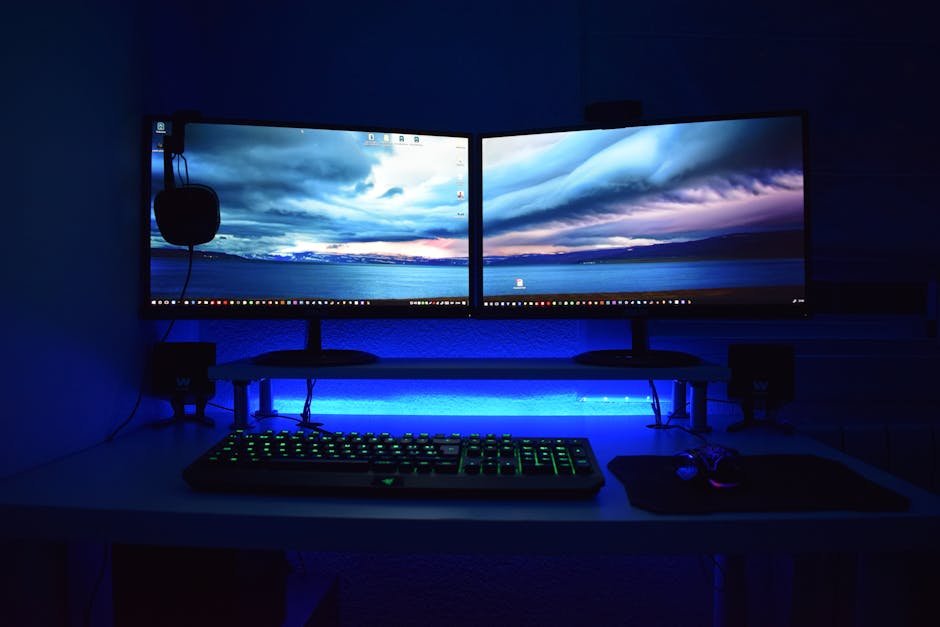

The Best Budget Gaming Monitors in 2026: 1440p on a Budget
Here’s a hill I’ll die on: 1080p gaming monitors have no business being sold in 2026. If you’re spending your hard-earned cash on a new display, you should be getting a 1440p gaming monitor at minimum. And the beautiful thing is that you no longer need to sell a kidney to afford one. The best budget gaming monitors in 2026 deliver sharp visuals, high refresh rates, and excellent color accuracy for prices that would have been unthinkable just three years ago.
I’ve been testing monitors obsessively for the better part of a decade. I have three on my desk right now, and I’ve probably returned more panels than most people will ever buy. In this guide, I’m going to walk you through exactly what to look for in a cheap gaming monitor, compare the major panel technologies, and give you my honest picks for the best budget options available right now. No fluff, no affiliate-bait filler — just practical advice from someone who’s stared at a lot of screens.
What to Look for in a Budget Gaming Monitor
Before I throw recommendations at you, let me explain the specs that actually matter. Monitor marketing is full of inflated numbers and meaningless buzzwords, so knowing what to focus on will save you from buyer’s remorse.
Panel Type: IPS vs VA vs TN
This is the single most important decision you’ll make (see our handheld gaming comparison), and it affects everything from color accuracy to motion clarity. I’ll do a full comparison below, but here’s the short version: IPS panels are the best all-rounders for most gamers. VA panels win on contrast and are great for dark games. TN panels are largely dead in 2026 and I wouldn’t recommend one unless you’re an esports professional on an extreme budget.
Refresh Rate
For a budget gaming monitor, 165Hz has become the sweet spot. It’s a meaningful upgrade over 144Hz (yes, you can notice the difference, fight me), and most budget GPUs like the RTX 4060 and RX 7700 XT can push 1440p frames in that range for competitive titles. Going up to 180Hz or 200Hz is nice but rarely worth a price premium at this tier. And honestly, anything above 165Hz delivers diminishing returns unless you’re playing nothing but Counter-Strike and Valorant.
Response Time
Ignore the “1ms” claims on the box. Those numbers are measured under conditions that have nothing to do with real gaming. What you want to look for is real-world GtG (gray-to-gray) response times in independent reviews. For a 165Hz monitor, you need pixel response times under about 6ms to avoid visible ghosting. Modern IPS panels generally hit 3-5ms in practice, which is excellent. VA panels tend to be a bit slower at 5-8ms, with dark transitions being the weak spot.
Adaptive Sync: FreeSync and G-Sync Compatible
Every monitor on this list supports AMD FreeSync Premium, and all of them work with NVIDIA G-Sync Compatible mode. Adaptive sync eliminates screen tearing without the input lag penalty of traditional V-Sync, and in 2026, there is absolutely no reason to buy a gaming monitor without it. If a monitor doesn’t support adaptive sync, walk away — it belongs in a museum.
Other Specs Worth Noting
- Resolution: 2560×1440 (1440p) is the target. It’s a massive upgrade over 1080p in sharpness, especially at 27 inches.
- Size: 27 inches is the ideal size for 1440p. At 24 inches the pixel density boost is less noticeable; at 32 inches you start wanting 4K.
- HDR: At this price range, HDR is largely a checkbox feature. DisplayHDR 400 doesn’t deliver a meaningful HDR experience. Don’t pay extra for it.
- Ergonomics: Height adjustment, tilt, and swivel matter more than you think. A monitor you can’t position correctly will literally give you neck pain.
IPS vs VA vs TN: The Full Comparison
I get asked about this constantly, so let me lay it all out in one place. This comparison reflects where panel technology stands as of early 2026.
| Feature | IPS | VA | TN |
|---|---|---|---|
| Color Accuracy | Excellent (best overall) | Good (slightly oversaturated) | Poor (washed out) |
| Contrast Ratio | ~1000:1 (adequate) | ~3000:1 (excellent deep blacks) | ~1000:1 (adequate) |
| Viewing Angles | Wide (178°/178°) | Moderate (color shift off-angle) | Narrow (significant shift) |
| Response Time (real-world) | 3-5ms (fast) | 5-8ms (moderate, dark smearing) | 1-3ms (fastest) |
| Best For | All-rounders, RPGs, productivity | Horror, single-player, movies | Competitive esports (budget) |
| Typical Budget Price (27″ 1440p) | $200 – $300 | $180 – $270 | $150 – $200 (rare in 1440p) |
| IPS Glow / Backlight Bleed | Possible (panel lottery) | Minimal | Minimal |
My take: For most gamers reading this, an IPS panel is the right choice. The color accuracy is better, the viewing angles are better, and modern fast-IPS panels have closed the response time gap with TN to the point where it’s a non-issue for 99% of players. VA makes sense if you play a lot of dark, atmospheric games or use your monitor in a dim room where that 3x contrast ratio really shines. TN? I’d only recommend it if someone put a gun to my head and said I had to spend under $150.
The Best Budget 1440p Gaming Monitors in 2026: My Picks
I’ve tested or extensively researched every monitor on this list. These are the ones I’d actually buy with my own money, which is the only metric that matters.
1. Dell S2725DGF — Best Overall Budget Gaming Monitor
Price: ~$250 | IPS | 27″ | 2560×1440 | 180Hz | FreeSync Premium
The Dell S2725DGF is the monitor I recommend more than any other, and it’s not particularly close. Dell has been quietly making some of the best gaming monitors on the market, and this one delivers a fast IPS panel with outstanding color accuracy right out of the box. It covers 99% of sRGB and roughly 95% of DCI-P3, which is borderline professional-grade color coverage at a decidedly non-professional price.
The 180Hz refresh rate is a nice bump over the standard 165Hz, and real-world response times land around 3-4ms GtG — fast enough that you won’t see ghosting unless you’re specifically looking for it with UFO tests. The stand is fully adjustable with height, tilt, swivel, and pivot, which is something a lot of budget monitors cheap out on.
- Pros: Excellent color accuracy, great stand, fast response times, USB-C with 15W charging, 3-year warranty
- Cons: HDR is mediocre (DisplayHDR 400), slight IPS glow in corners (panel lottery)
2. Gigabyte M27Q X — Best for Fast-Paced Gaming
Price: ~$270 | SS IPS | 27″ | 2560×1440 | 240Hz | FreeSync Premium
If you play a lot of competitive shooters and want the fastest panel you can get without blowing past $300, the Gigabyte M27Q X is your monitor. The 240Hz refresh rate paired with a Super Speed IPS panel means pixel response times in the 2-3ms range — genuinely TN-rivaling speed from an IPS display. That’s remarkable.
The KVM switch built into the monitor is a surprisingly useful feature if you switch between a gaming PC and a work laptop. Color accuracy is solid though not quite as refined as the Dell out of the box. I’d recommend running it through a basic calibration if you care about accuracy, but for gaming, it looks great on default settings.
- Pros: 240Hz at this price is wild, excellent response times, built-in KVM, good build quality
- Cons: BGR subpixel layout can cause slight text fringing (fixable with ClearType tuning), stand is basic
3. AOC Q27G3XMN — Best VA Panel Pick
Price: ~$230 | VA | 27″ | 2560×1440 | 180Hz | FreeSync Premium
If you’ve read my comparison above and decided that deep blacks and high contrast are your priority, the AOC Q27G3XMN is the VA panel I’d go with. It uses a mini-LED backlight with local dimming zones, which gives it genuine HDR capability that most monitors at this price can only dream about. Peak brightness hits around 600 nits in HDR mode, and that 3000:1 native contrast ratio means dark scenes in games like Alan Wake 2 and Resident Evil look absolutely stunning.
The trade-off, as always with VA, is some dark-level smearing during fast motion. It’s noticeable if you’re coming from a fast IPS panel, but AOC has tuned the overdrive well enough that it’s not distracting during normal gameplay. For single-player gaming in a dimly lit room, this monitor creates an atmosphere that no IPS panel at this price can match.
- Pros: Incredible contrast, mini-LED local dimming, usable HDR, great for dark games and movies
- Cons: Dark-level smearing in fast scenes, narrower viewing angles than IPS, limited ergonomic adjustments
4. LG 27GR83Q-B — Best Color Accuracy
Price: ~$280 | Nano IPS | 27″ | 2560×1440 | 165Hz | FreeSync Premium / G-Sync Compatible
LG’s Nano IPS technology continues to impress me. The 27GR83Q-B delivers some of the best color accuracy I’ve seen under $300, covering 98% of DCI-P3 with Delta E values under 2 out of the box. If you do any kind of content creation alongside your gaming — photo editing, video work, graphic design — this is the monitor that pulls double duty most convincingly.
The 165Hz refresh rate is perfectly adequate for gaming, and response times are competitive with other fast IPS panels. LG’s OSD is intuitive and easy to navigate, which is a small thing that matters a lot when you’re tweaking settings. The stand offers full ergonomic adjustments, and build quality feels a cut above most budget panels.
- Pros: Outstanding color accuracy, excellent for creator/gamer combo use, Nano IPS wide gamut, great ergonomics
- Cons: Slightly pricier than direct competitors, IPS glow can be noticeable in dark rooms, HDR is lackluster
5. ASUS VG27AQ3A — Best Value Under $200
Price: ~$190 | IPS | 27″ | 2560×1440 | 180Hz | Adaptive-Sync
If you’re on a genuinely tight budget, the ASUS VG27AQ3A proves that you don’t need to spend $250+ to get a great 1440p gaming monitor. ASUS has stripped this down to the essentials — no USB hub, no flashy RGB, no premium stand — and focused the budget on the panel itself. And the panel delivers. You get a solid IPS display with 180Hz, reasonable color accuracy (~95% sRGB), and response times in the 4-5ms range.
The stand only offers tilt adjustment, which is my biggest gripe. I’d strongly recommend pairing this with a $25 VESA monitor arm, which ironically makes it more adjustable than monitors costing twice as much. But if you can look past the barebones ergonomics, the picture quality-to-price ratio here is outstanding.
- Pros: Incredible value, solid IPS panel, 180Hz, VESA mount compatible, lightweight
- Cons: Tilt-only stand, no USB-C, build quality feels budget, limited OSD options
6. MSI MAG 275CQRF-QD — Best Curved Option
Price: ~$260 | Rapid VA | 27″ Curved (1000R) | 2560×1440 | 170Hz | FreeSync Premium
I know curved monitors are polarizing, and I’ll be honest — I didn’t think I’d like one at 27 inches. But the MSI MAG 275CQRF-QD changed my mind. The 1000R curve is subtle enough that it doesn’t distort the image but aggressive enough to create a mildly immersive effect, especially in racing games and flight sims. The Quantum Dot VA panel offers a wider color gamut than standard VA, and MSI’s Rapid VA technology pushes response times into the 4-5ms range — significantly better than older VA panels.
The contrast ratio sits around 3500:1, which combined with the Quantum Dot color volume makes this monitor look phenomenal with HDR content. It’s not perfect HDR by any stretch, but it’s closer to a genuine HDR experience than any IPS panel at this price. If you primarily play immersive single-player games and watch movies, this is a compelling choice.
- Pros: Excellent contrast and color volume, immersive curve, improved VA response times, solid build
- Cons: Curved panel not ideal for productivity, some dark smearing persists, 170Hz (not a real issue)
Quick Comparison: All Picks at a Glance
| Monitor | Panel | Refresh Rate | Price | Best For |
|---|---|---|---|---|
| Dell S2725DGF | IPS | 180Hz | ~$250 | Best overall |
| Gigabyte M27Q X | SS IPS | 240Hz | ~$270 | Competitive FPS |
| AOC Q27G3XMN | VA (mini-LED) | 180Hz | ~$230 | Dark/atmospheric games |
| LG 27GR83Q-B | Nano IPS | 165Hz | ~$280 | Gaming + content creation |
| ASUS VG27AQ3A | IPS | 180Hz | ~$190 | Tightest budget |
| MSI MAG 275CQRF-QD | QD VA (curved) | 170Hz | ~$260 | Immersive single-player |
Best Monitor by Use Case
Different gamers have different priorities. Here’s how I’d break down the recommendations based on what you actually play and do.
Best for FPS and Competitive Gaming
Go with the Gigabyte M27Q X. The 240Hz refresh rate and sub-3ms response times give you every possible advantage in fast-paced shooters. If you’re playing Valorant, CS2, Apex Legends (see our gaming PC build guide), or any game where milliseconds matter, this is the pick. The Dell S2725DGF is a close second if you want to save $20 and don’t need 240Hz.
Best for RPGs and Story-Driven Games
The AOC Q27G3XMN or MSI MAG 275CQRF-QD, depending on whether you want flat or curved. VA panels shine here because RPGs are full of dark dungeons, moody lighting, and atmospheric environments where deep blacks and high contrast make a real difference. When you’re wandering through a dimly lit cave in Elden Ring or exploring the neon-drenched streets of Cyberpunk 2077, those deep blacks draw you into the world in a way that IPS panels simply can’t replicate at this price.
Best for Productivity and Gaming Combo
The LG 27GR83Q-B is the clear winner here. If your monitor needs to serve as a work display during the day and a gaming screen at night, the Nano IPS panel’s color accuracy is legitimately good enough for professional photo and video work. The fully adjustable stand also matters more for productivity, where you might switch between sitting and standing throughout the day. The Dell S2725DGF is another excellent option in this category, especially if USB-C connectivity matters to you.
Best on the Tightest Budget
The ASUS VG27AQ3A at $190 is nearly impossible to beat on pure value. Pair it with a cheap monitor arm and you have a setup that rivals monitors costing $100 more. I’d take this over any 1080p monitor at any price.
Common Questions and Mistakes to Avoid
Should I buy a 1080p monitor to save money?
No. Absolutely not. In February 2026, the price gap between 1080p and 1440p gaming monitors has shrunk to $30-50 in many cases. The sharpness difference at 27 inches is dramatic — once you see 1440p, going back to 1080p feels like smearing Vaseline on your screen. The only exception is if you have a very weak GPU that can’t push 1440p at reasonable frame rates, but even then, I’d argue you should buy the better monitor now and upgrade your GPU later.
Is 4K worth it for a budget gaming monitor?
Not yet. Budget 4K gaming monitors exist, but they typically compromise on refresh rate (capping at 60-75Hz), have slower response times (see our mechanical keyboard guide), and demand a far more expensive GPU to drive at reasonable frame rates. 1440p at 27 inches still looks crisp, and you can actually push high frame rates with a mid-range graphics card. 4K gaming monitors make sense at $500+, but that’s a different article.
Do I need HDMI 2.1?
If you plan to connect a PS5 or Xbox Series X, yes — HDMI 2.1 is needed for 1440p at 120Hz on consoles. Most of the monitors on this list include at least one HDMI 2.1 port. If you’re PC-only and using DisplayPort, this doesn’t matter.
Flat or curved at 27 inches?
Honestly, it’s personal preference at this size. Curved monitors provide a subtle immersion boost for gaming but can be slightly annoying for productivity work with straight lines (like spreadsheets or design tools). At 27 inches, the curve is mild enough that most people adapt within a day. I wouldn’t let this be a deciding factor — pick the panel and features you want first, and let the curve be a tiebreaker.
Final Thoughts
We’re living in the golden age of budget gaming monitors. A few years ago, getting a good 1440p gaming monitor under $300 meant making serious compromises. Today, every monitor on this list delivers an experience that would have been flagship-tier not long ago. Panels are faster, colors are more accurate, and adaptive sync is standard across the board.
If you’re forcing me to pick just one, the Dell S2725DGF is the best budget gaming monitor in 2026 for most people. It nails every fundamental — fast IPS panel, great colors, excellent stand, and a fair price. But honestly, you can’t go wrong with any of these picks. Figure out your priorities, check your budget, and pull the trigger. Your eyeballs will thank you.
Got questions about a specific monitor or want me to compare two models? Drop a comment below and I’ll give you my honest take. And if you’re building a new PC to pair with your new monitor, check out my mid-range PC build guide for the perfect companion setup.
Prices referenced in this article reflect approximate retail pricing as of February 2026 and may vary by retailer and region.