
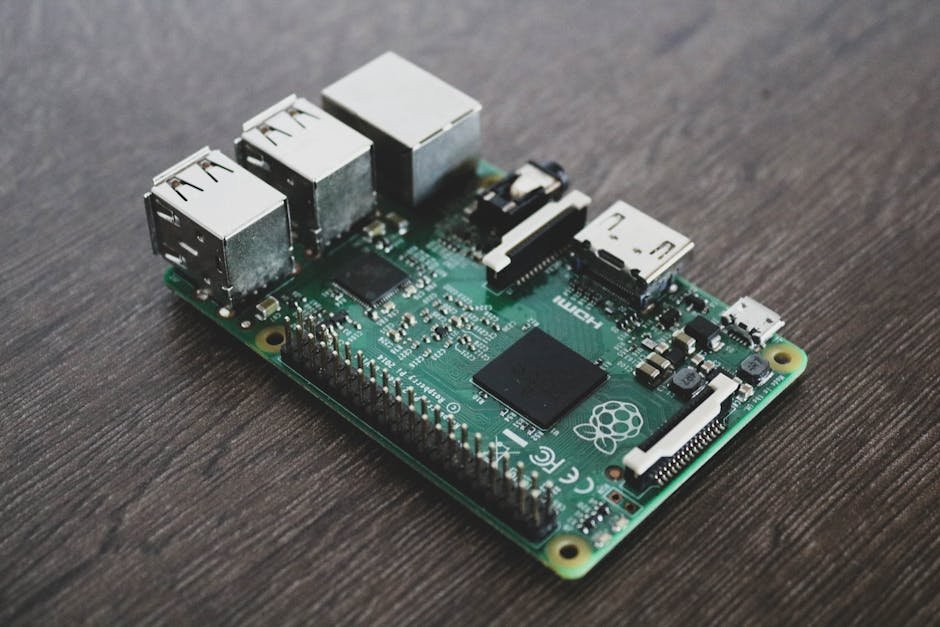

Every device on my home network gets its DNS from a single container: AdGuard Home, running on the same Jetson Orin Nano as the rest of my homelab. It blocks ads and trackers for everything, including the TV, the phones and the IoT junk you can’t install an ad blocker on. Behind it sits Unbound, so lookups go straight to the root servers instead of to Google, Cloudflare or my ISP.
This post used to be a generic Pi-hole guide. I don’t run Pi-hole, so here’s what I actually run instead, how it’s wired together, and the two gotchas that have bitten me.
AdGuard Home vs Pi-hole
Both are good, and if you already run Pi-hole happily there’s no reason to switch. The differences that mattered for my setup:
| AdGuard Home | Pi-hole | |
|---|---|---|
| Encrypted DNS for clients (DoT/DoH) | Built in | Needs extra pieces |
| DNS rewrites (local hostnames) | In the UI, wildcards supported | Local DNS records; wildcards need dnsmasq config |
| Packaging | One Go binary / one container | FTL + web stack |
| Blocklist format | Adblock-style rules plus hosts files | Mainly hosts/domain lists |
The wildcard rewrites were the deciding feature for me, because I use them for split-horizon DNS (more below).
How it’s wired
- AdGuard Home (
adguard/adguardhome) listens on port 53 on the Jetson’s LAN address, plus 853 for DNS-over-TLS. The web UI sits behind my reverse proxy. - Unbound (
klutchell/unbound) is AdGuard’s only upstream. It runs on the same Docker bridge network and publishes no ports at all; only AdGuard can reach it. - DHCP stays on the router (an eero). AdGuard’s own DHCP server is off, and the eero hands out AdGuard as every client’s DNS server.
A minimal compose for the pair looks like this:
services:
  adguardhome:
    image: adguard/adguardhome:latest
    container_name: adguardhome
    restart: unless-stopped
    ports:
      - "<LAN-IP>:53:53/tcp"
      - "<LAN-IP>:53:53/udp"
      - "853:853/tcp"        # DNS-over-TLS
    volumes:
      - ./adguard/work:/opt/adguardhome/work
      - ./adguard/conf:/opt/adguardhome/conf

  unbound:
    image: klutchell/unbound:latest
    container_name: unbound
    restart: unless-stopped
    # no ports: only reachable from the Docker network
Binding port 53 to the LAN address rather than 0.0.0.0 avoids clashing with systemd-resolved, which already holds port 53 on localhost on most Ubuntu-based systems, including JetPack.
In AdGuard, the upstream is just Unbound on its internal port (5335 in the klutchell image):
Upstream DNS servers:   unbound:5335
Bootstrap DNS servers:  9.9.9.10, 149.112.112.10
The bootstrap servers (Quad9 here) are only used to resolve hostnames in the upstream list itself. With Unbound addressed directly they rarely matter, but AdGuard wants something there.
Why bother with Unbound
Without Unbound, AdGuard forwards everything it doesn’t block to a public resolver, which then sees your entire browsing history in DNS form. Unbound is a recursive resolver: it walks the DNS tree itself, from the root servers down to each domain’s authoritative servers, and caches the results. No single third party sees all your lookups.
The cost is a slower first lookup for a domain nobody on the network has visited recently. After that it’s cached, and with a household’s worth of traffic, most lookups are cache hits.
Unbound also does DNSSEC validation, so I leave DNSSEC off in AdGuard. Validating once, in the resolver, is enough.
Blocklists
I keep it to three lists, all auto-updating every 24 hours:
- AdGuard DNS filter: about 176k rules, the sensible default.
- OISD Big: about 244k rules, very good coverage with few false positives.
- AdAway default: about 6.5k rules, mostly mobile ad networks.
That’s roughly 427k rules, and AdGuard uses about 130 MB of RAM with all three loaded. That matters on an 8 GB box shared with 20-odd other containers. Stacking ten more lists mostly adds duplicates and false positives, not blocking.
I have exactly one custom allow rule, for a Google Analytics domain the lists block that I need to keep working:
@@||analytics.google.com^$importantBlocked domains get answered with 0.0.0.0 (AdGuard’s default mode), so apps fail fast instead of hanging on a timeout.
DNS rewrites: split-horizon and local names
This is the feature I use most. My self-hosted services have public hostnames that go through a Cloudflare Tunnel from outside. At home, AdGuard rewrites those same hostnames (with a wildcard) to the Jetson’s LAN address, where a reverse proxy serves them with a real certificate. Same URL everywhere, but LAN traffic never leaves the house.
I also use rewrites to give names to devices that don’t announce one: access points, a printer, a camera. No more remembering which .2xx address is which.
Gotchas that have bitten me
- AdGuard rewrites its config file on shutdown. If you edit
AdGuardHome.yamlwhile the container is running and then restart it, AdGuard saves its in-memory config over your edit. Stop the container first, edit (keep a.bak), then start it. DNS drops for a few seconds, so do it when nobody’s streaming. - Unbound caches “doesn’t exist” answers. After adding a new DNS record, the name still didn’t resolve, because Unbound had cached the earlier “no such name” answer. Restarting the Unbound container cleared it. If DNS breaks house-wide, check AdGuard first, then Unbound.
Settings worth changing from the defaults
- Rate limit: 20 queries/second per client. That’s plenty for real use and stops a misbehaving IoT device from hammering the resolver.
- Cache: 4 MB in AdGuard. Unbound does the heavy caching anyway.
- Query log: I keep 90 days. When one device misbehaves, it shows exactly what that device asked for and what got blocked.
Is it worth it?
For a homelab that’s already running Docker, yes. It’s two small containers, it protects every device on the network including the ones you can’t install anything on, and with Unbound behind it your DNS stops being someone else’s data. If you’re starting from scratch on a spare Pi, Pi-hole is still a perfectly good choice. The Unbound half of this setup works the same way behind either one.
Related: the Cloudflare Tunnels post covers the outside half of the split-horizon setup, and the OneHub tour shows everything else running on the same box.



Leave a Reply